
1
Click Redeem Now
Click “Redeem Now” when you get the email about the reward. You’ll be taken to a page where all of your vouchers are listed.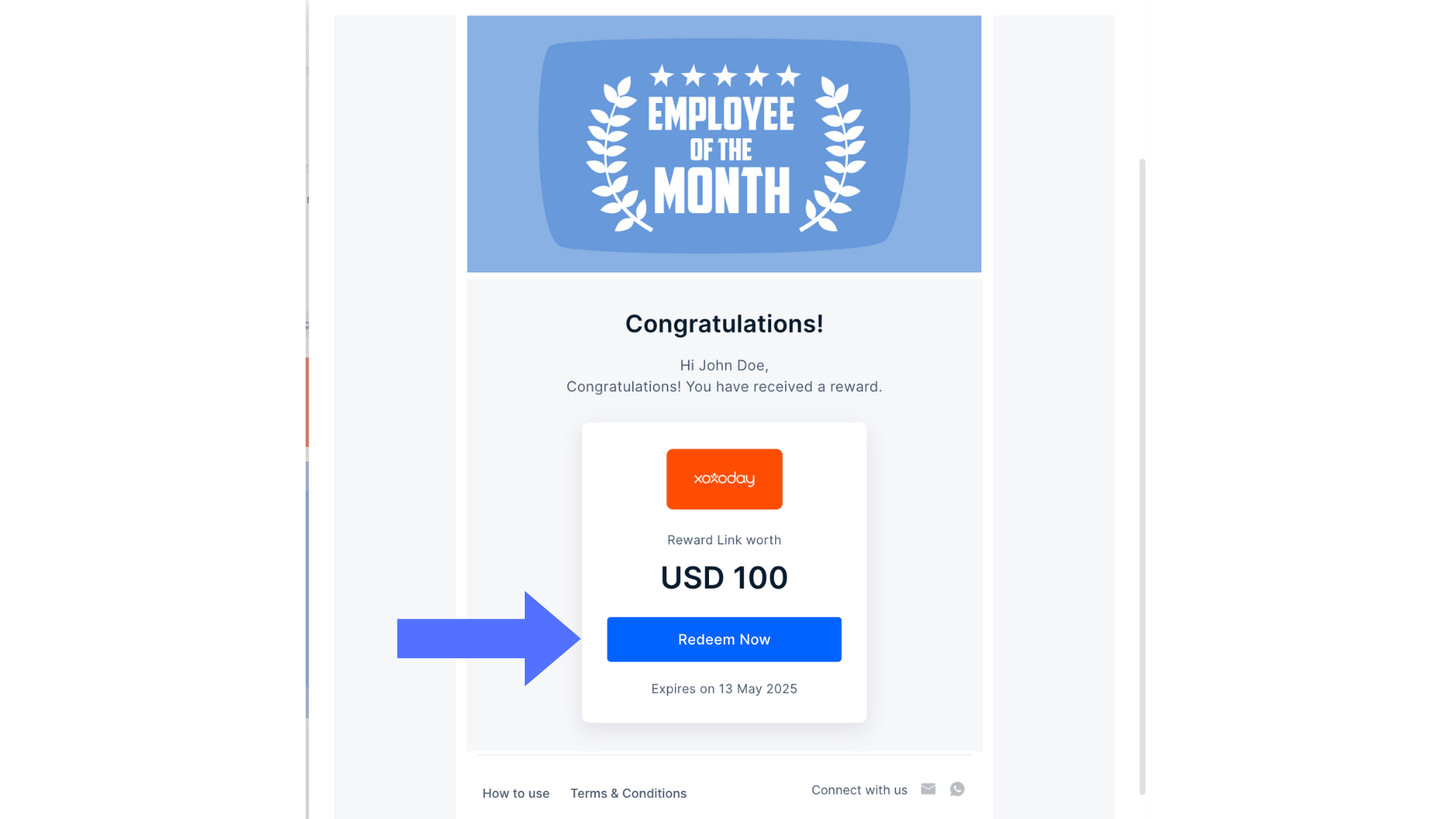
2
View your reward
On click of ‘Redeem Now’, you will see a landing page. Here, you can view your reward value and the link validity.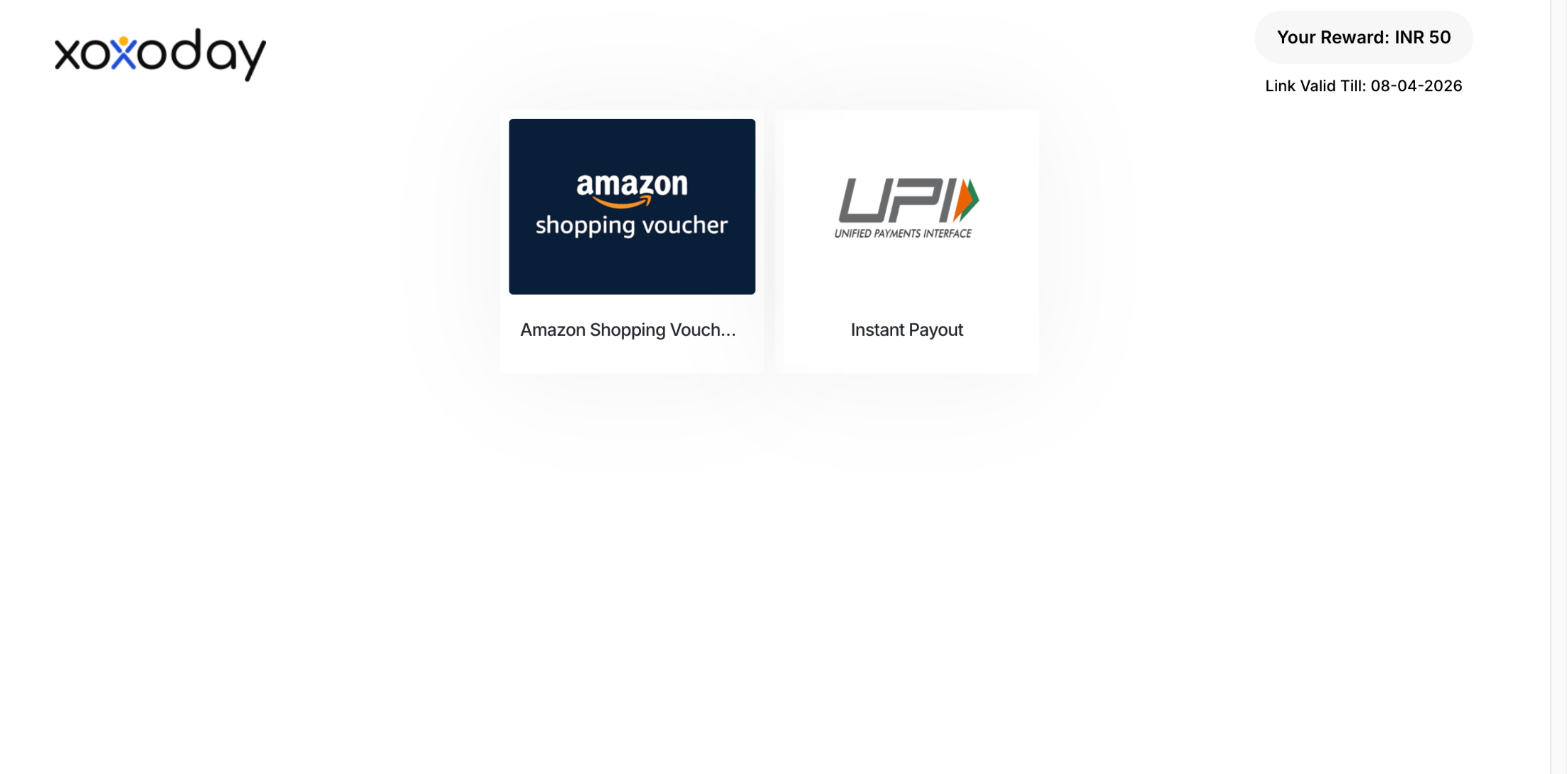
3
Pick a brand and Send OTP
Pick the brand you like the most. Click on Send OTP.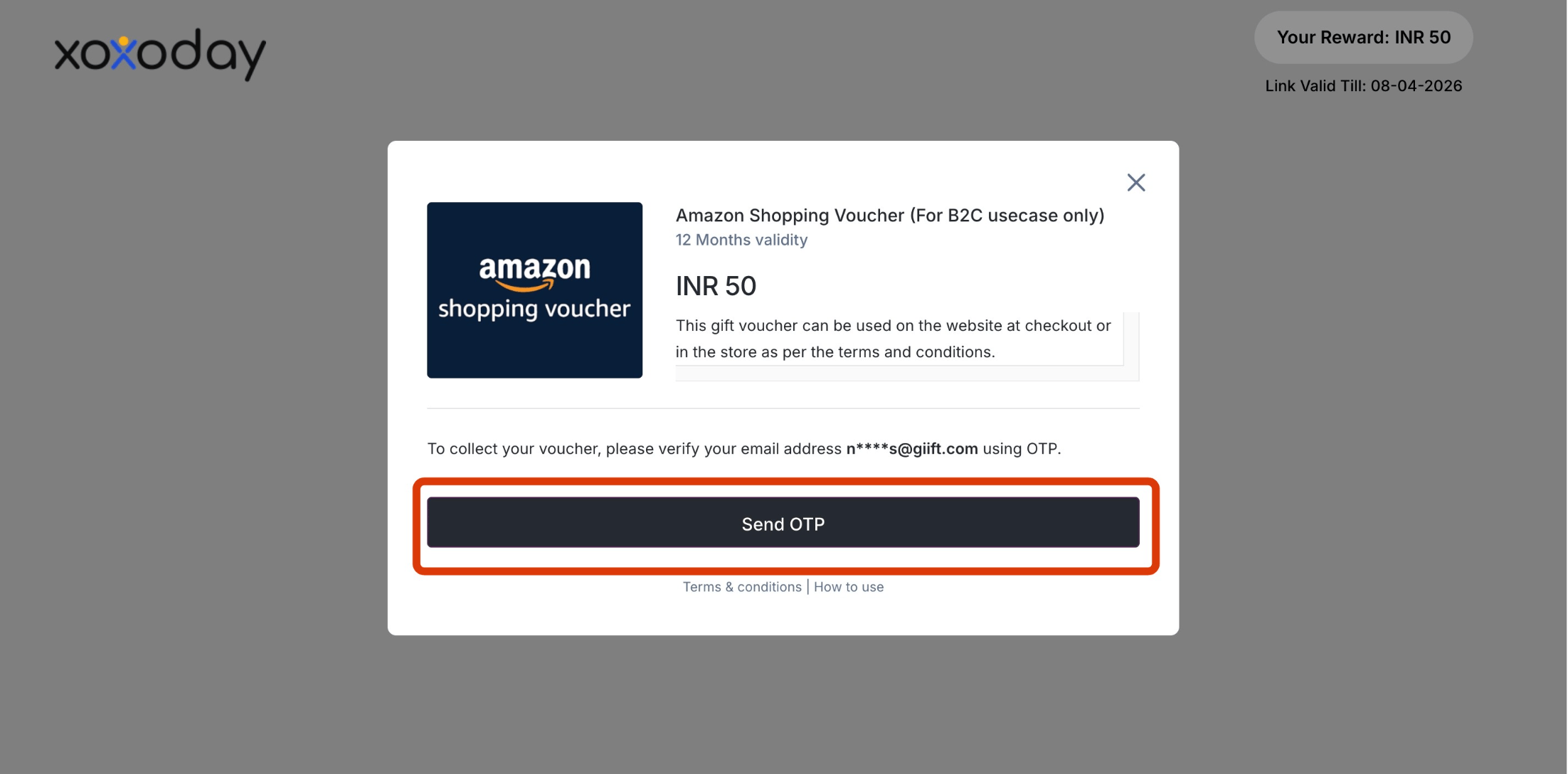
4
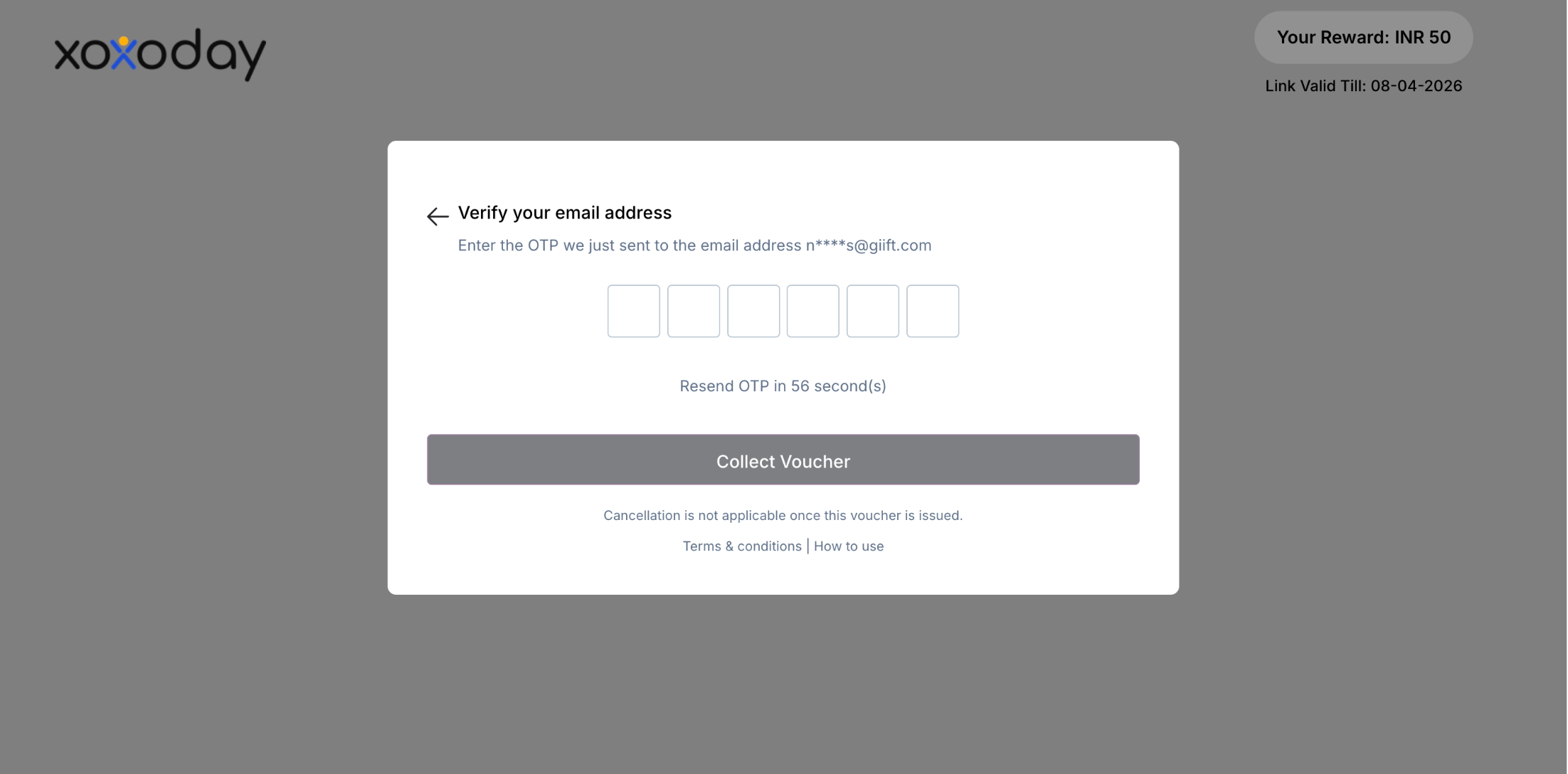
Get your voucher
You can also choose other gift cards by clicking on the cross. This will take you back to the previous page so you can use another gift card.Once you have the code, you can copy it or click the “Send me a copy” button to send it to your email or phone number.
HRMS such as Darwinbox, Here is how you can redeem
Here are the steps to redeem:1
Login to your Darwinbox account
2
Go to Recognition
Under “My Access”, click the “Recognition” tile.
3
Check your reward points balance
Within the “Recognition Overview”, you check your accumulated reward points balance.
4
Click Redeem
Click “Redeem”.
5
Browse the Plum Storefront
You will now be redirected to the Plum Storefront via single sign-on. You can check your points balance in the top right corner of the page.
6
Add to cart
Choose any experience, gift vouchers, etc, from categories based on location.Click on “Add to cart” on the selected option. Please read the item’s Terms and Conditions, Validity, and Description before proceeding.
7
Proceed to Checkout
After adding all the items to the cart, click on the cart icon to proceed with the purchase. Verify your items and click on “Proceed to Checkout”.
If you are using SAP® SuccessFactors or a custom platform, here is how you can redeem
1
Login to your SAP® SuccessFactors account
2
Go to Compensation
Under the “Home” tab, click the “Compensation” module.
3
Check your reward points
You can check your accumulated reward points under “My Team”.
4
Click Redeem
Now, click “Redeem”; with a single sign-on, you will be redirected to the Plum Storefront.
5
Add to cart
Choose any experience, gift vouchers, etc, from 30+ categories based on location.Click on “Add to cart” on the selected option.Please read the item’s Terms and Conditions, Validity, and Description before proceeding.
6
Proceed to Checkout
After adding all the items to the cart, click on the cart icon to proceed with the purchase. Verify your items and click on “Proceed to Checkout”.
How to redeem Mastercard/Virtual Visa Card using Reward Code/Reward Points
To redeem your Mastercard/Virtual Visa Card, follow these steps below:1
Visit the storefront
Visit https://stores.xoxoday.com/.
2
Choose Guest Checkout
Select the Product of your choice and choose the “Guest Checkout” option on the landing page.Enter a valid email ID to proceed as a guest user.You can successfully place an order by choosing the Guest Checkout option.
3
Enter your details
Mention your name, email, dialling code, and phone number. Before continuing with the purchase, an OTP will be sent to the mobile number provided.
4
Apply reward points or gift card
Select the option to use available reward points for the purchase.If you have a gift card, add the gift card code and click on “Apply”.
5
Pay Now
You can also pay the excess amount by selecting the option to pay via “Credit Card” and choosing the card of your choice.Click “Pay Now” to continue with the selected payment mode.
Still need help? Raise a support ticket.