
Before you begin
When your organization rewards you with a reward code, you receive an email from Xoxoday with your code. You don’t need a Storefront account to redeem it. You check out as a guest.- You can redeem your code only within its validity period.
- You can use part of your code’s balance now and the rest later, until the balance runs out.
- You can apply up to 10 reward codes to a single order.
Redeem Reward Code
1
Open the Storefront
In your reward email, click Redeem Now. You can also go to stores.xoxoday.com in your browser. Plum Storefront opens, where you can redeem your code.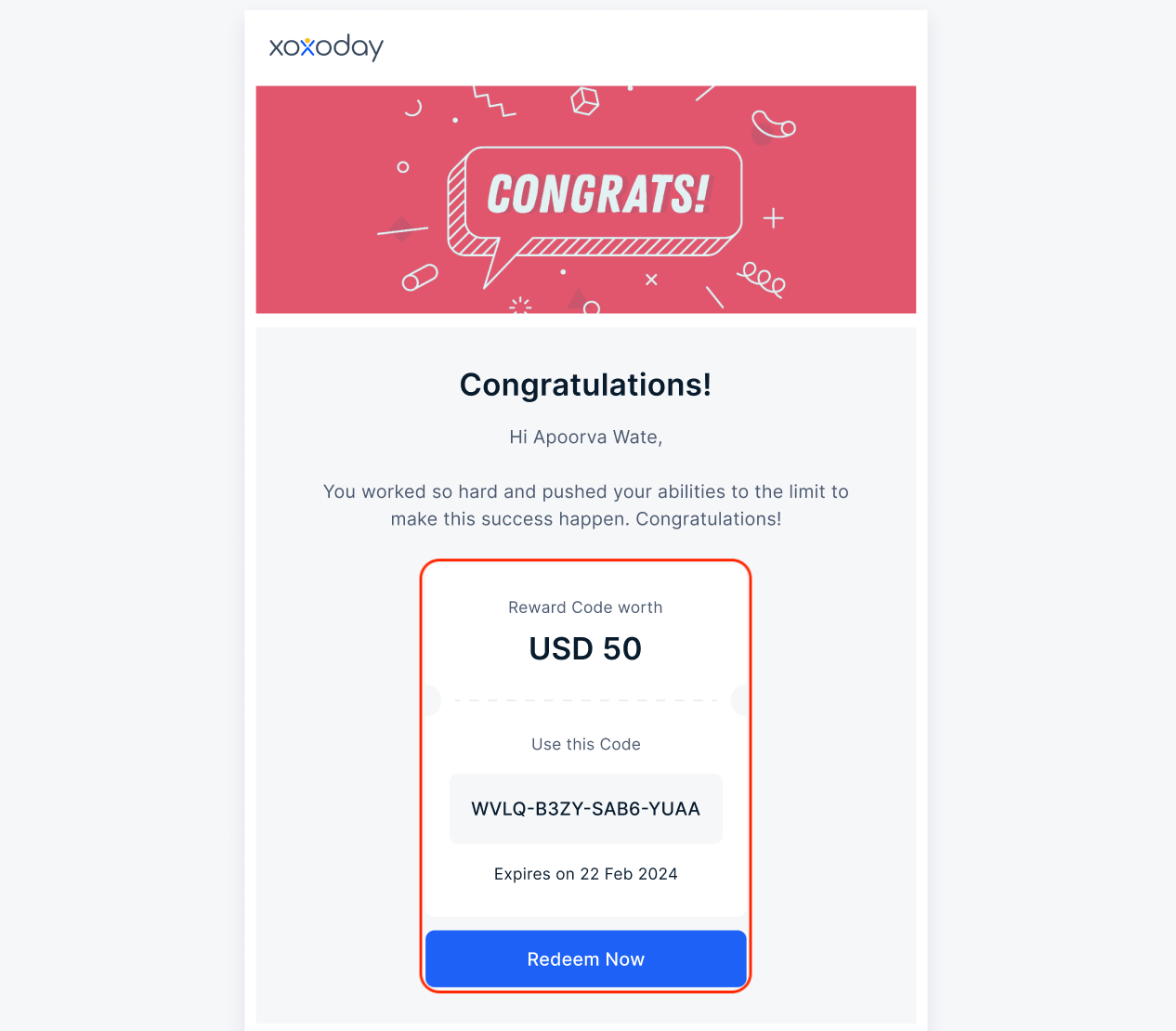
2
Find a product using either option:
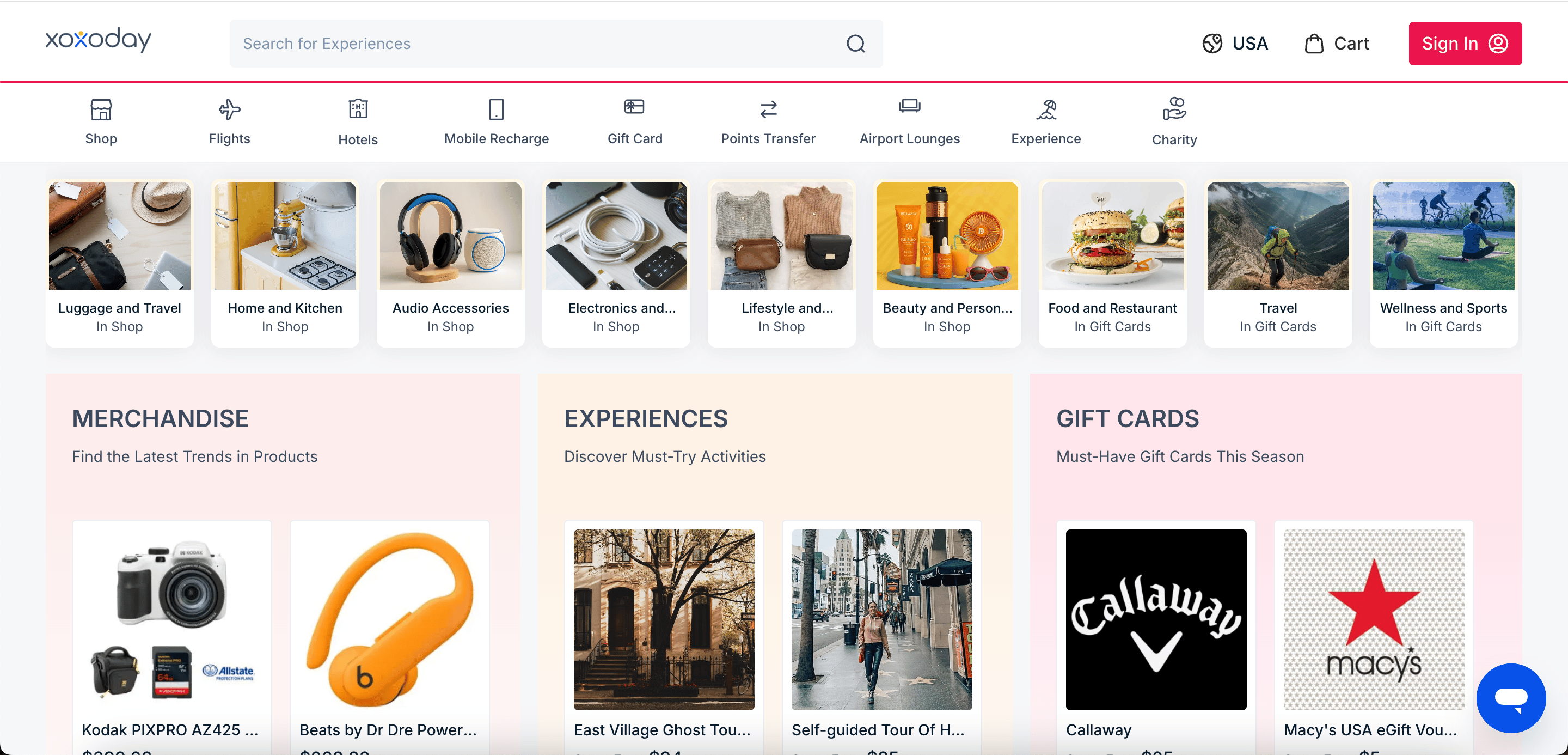
- Browse by category: Select a category from the menu bar, such as Gift Card, Shop, Mobile Recharge, Experience or others
- Search: Enter a brand or product name in the search bar at the top of the page.
3
Select the gift voucher or product you want. Select the denomination (the voucher value) you want to redeem.
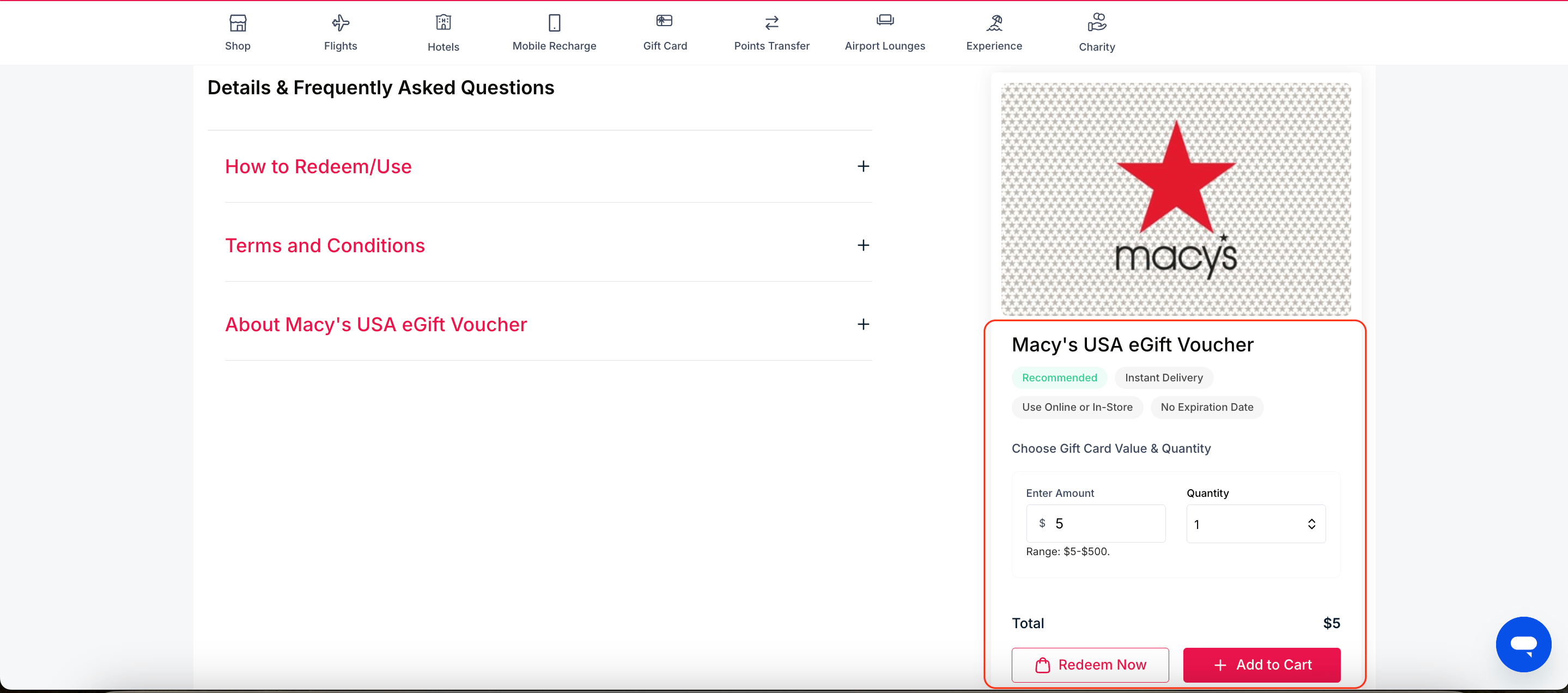
- Terms and Conditions: Where and how you can use the voucher, including any restrictions.
- Description: What the product includes.
4
Click Add to cart.
The product is added to your cart, and the button changes to Go to Cart.Pro tip: To redeem more than one product in a single order, keep browsing and add each product to your cart before you check out.
5
Review Shopping Cart
Click Go to Cart or Redeem Now. You can also click the cart icon in the top-right corner, next to your profile.Review your cart. Check the product, denomination, quantity, and total points for each item. Click Proceed to redemption.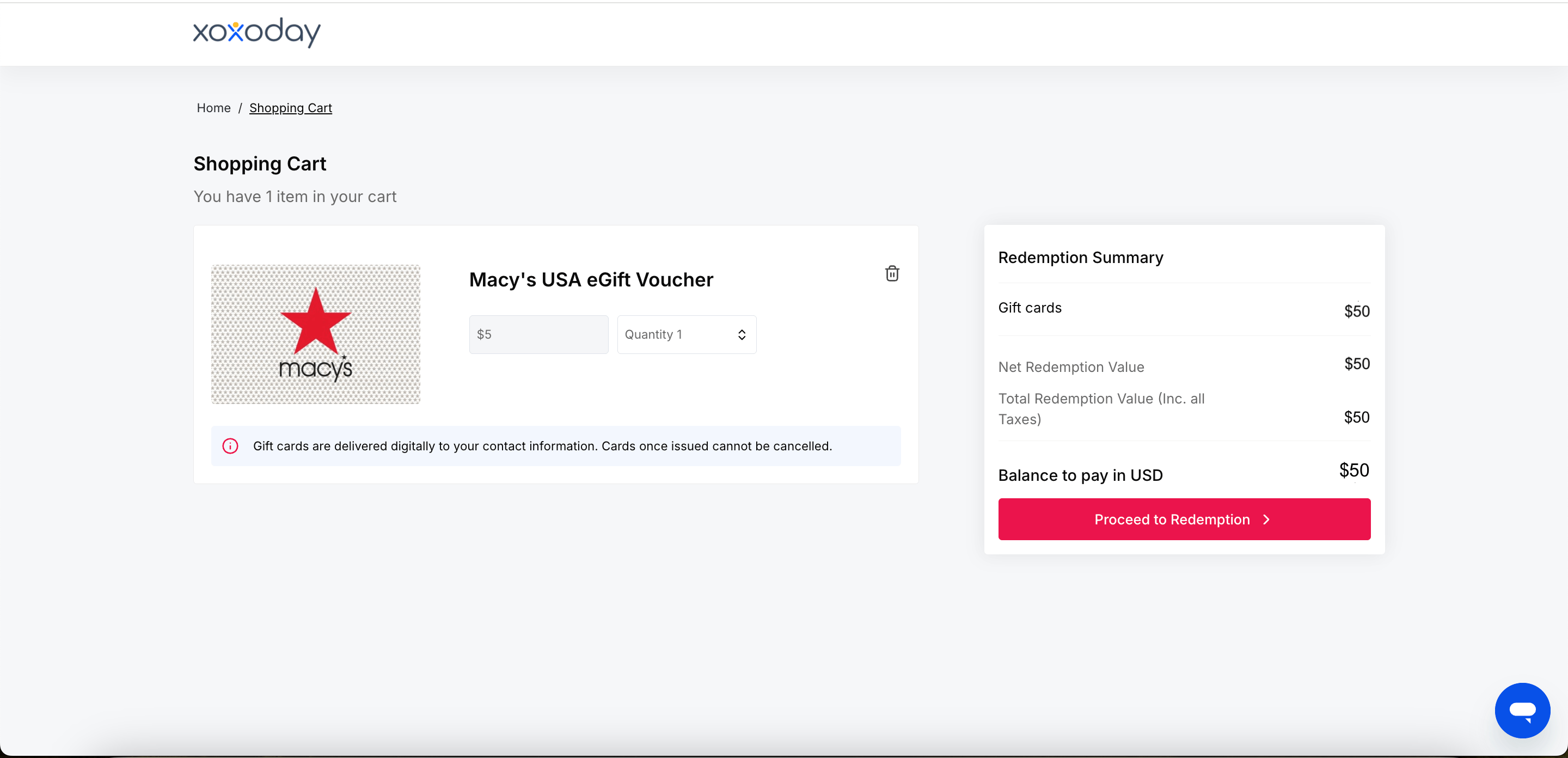
6
Apply Code
If you opened Storefront from your reward email, your reward code is already filled in the Redeem using Reward Code field on the Checkout page. Otherwise, paste your reward code into the field. Click Apply Code.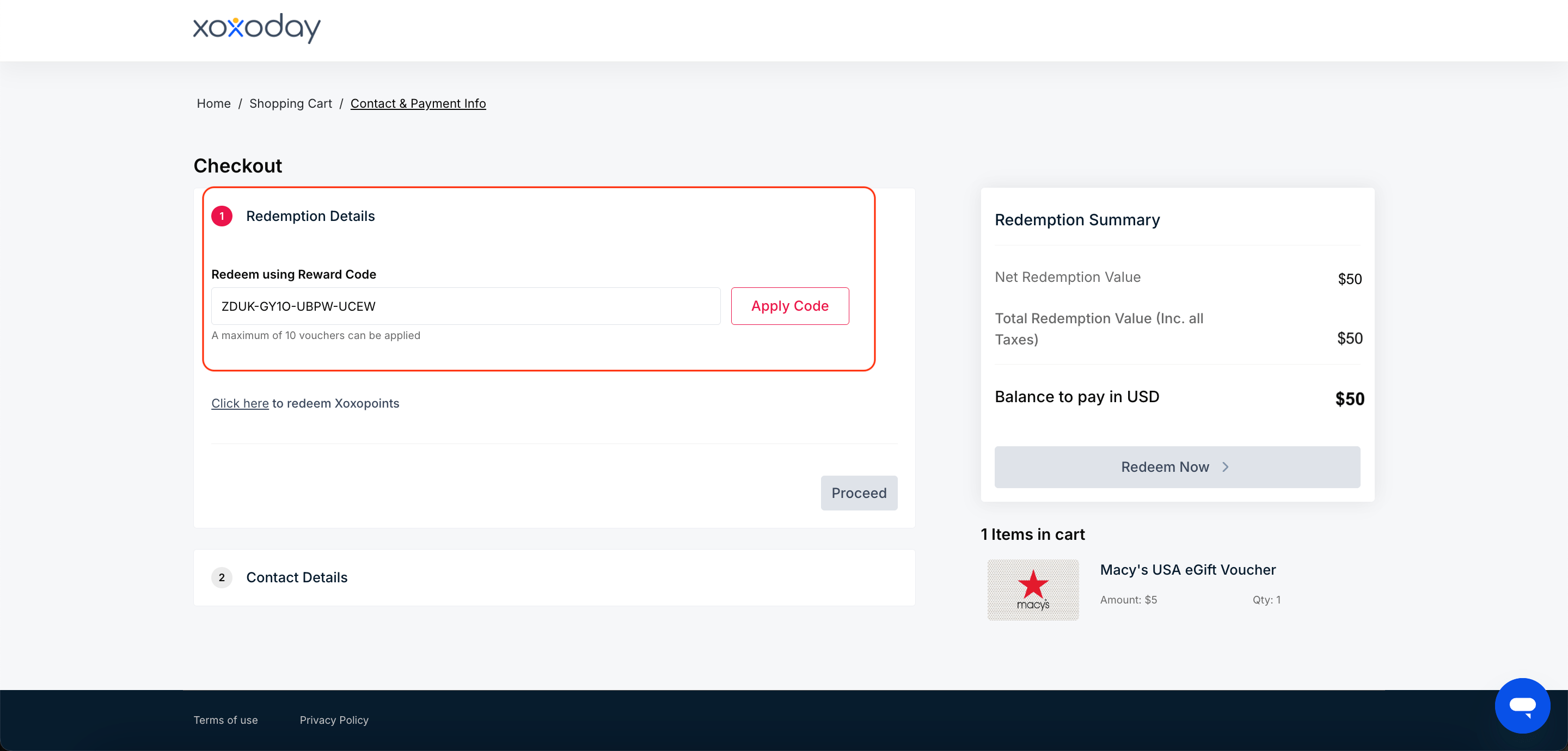
7
Enter Contact details
In the Contact Details section, check that your name, email address, and phone number are correct. Your order details are sent to the email address and phone number you enter here. If your cart includes merchandise, also enter your delivery address. Click Use These Details.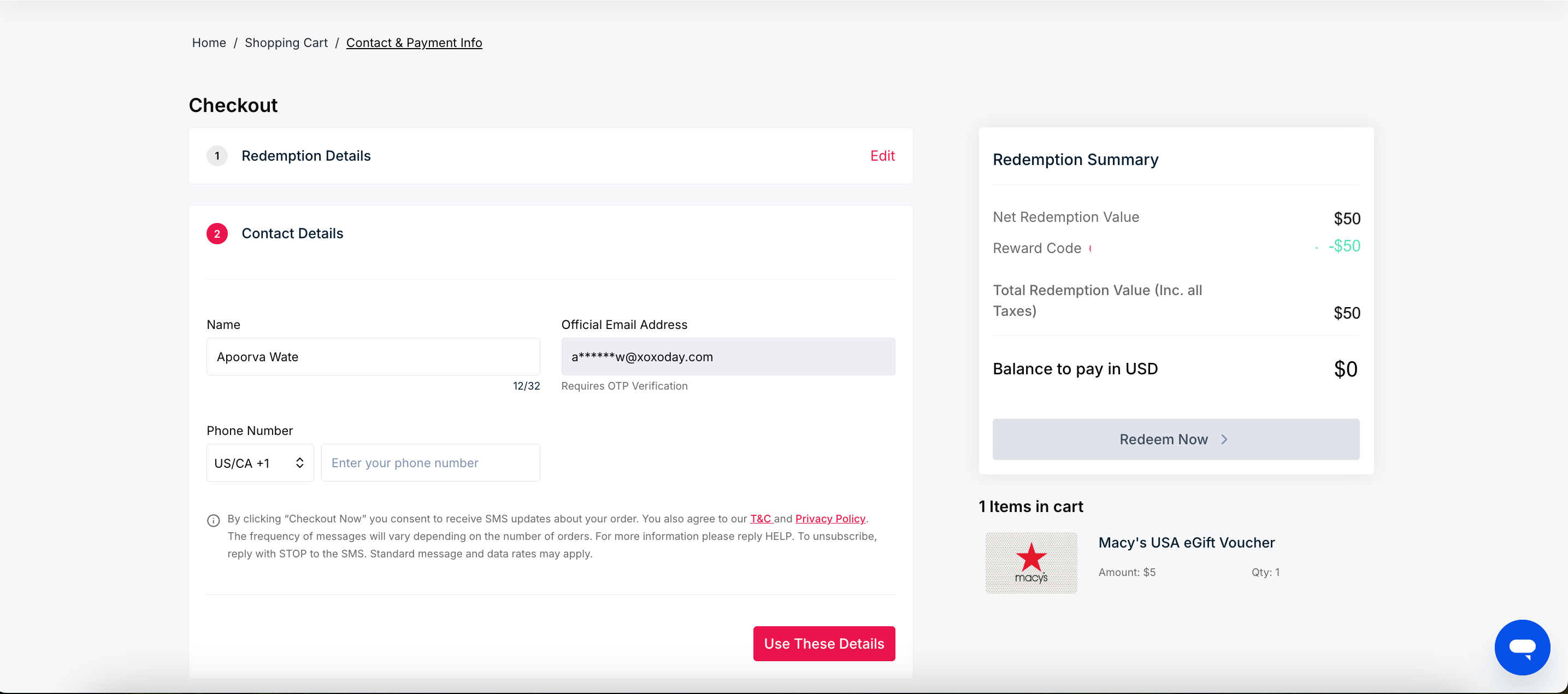
8
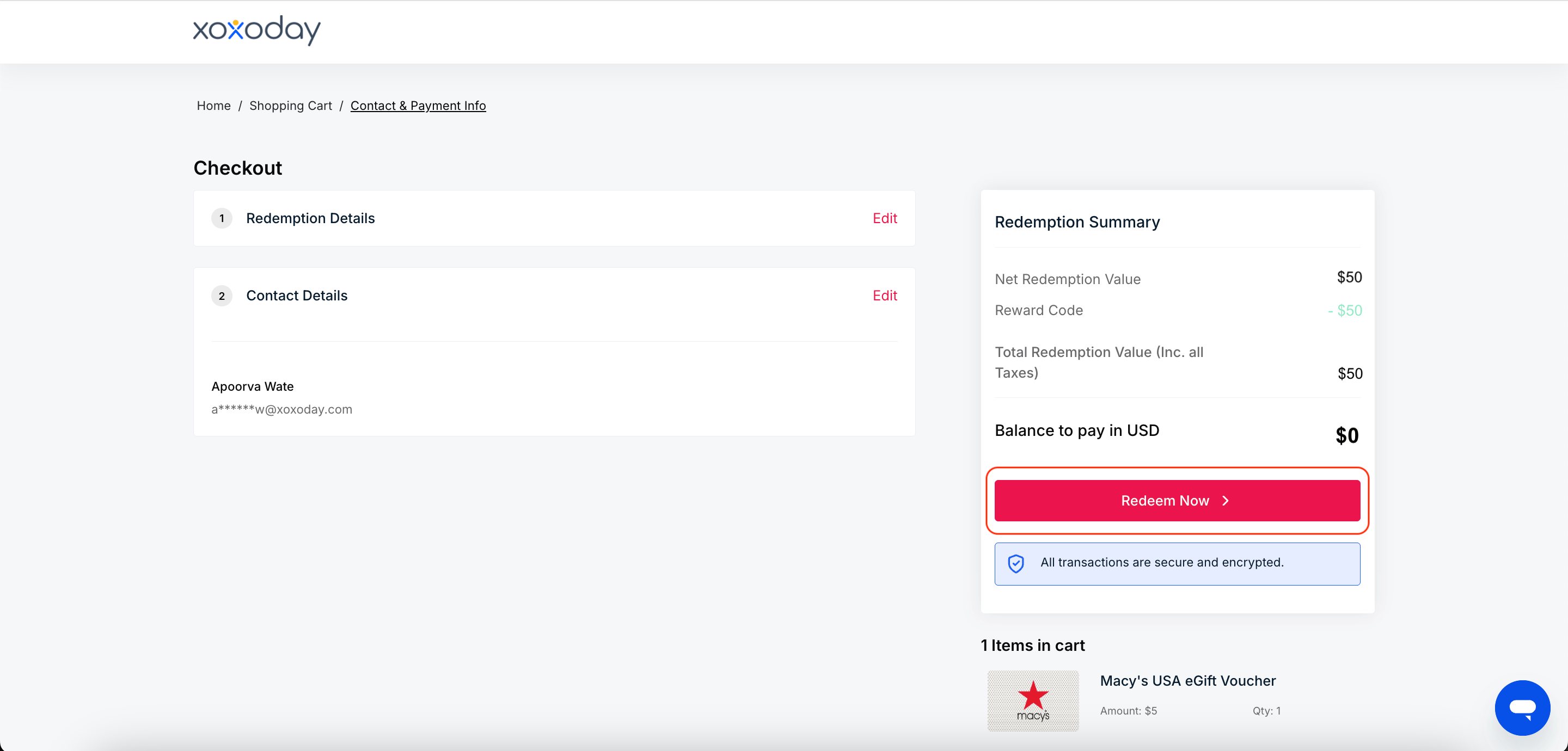
Click on Redeem Now.
9
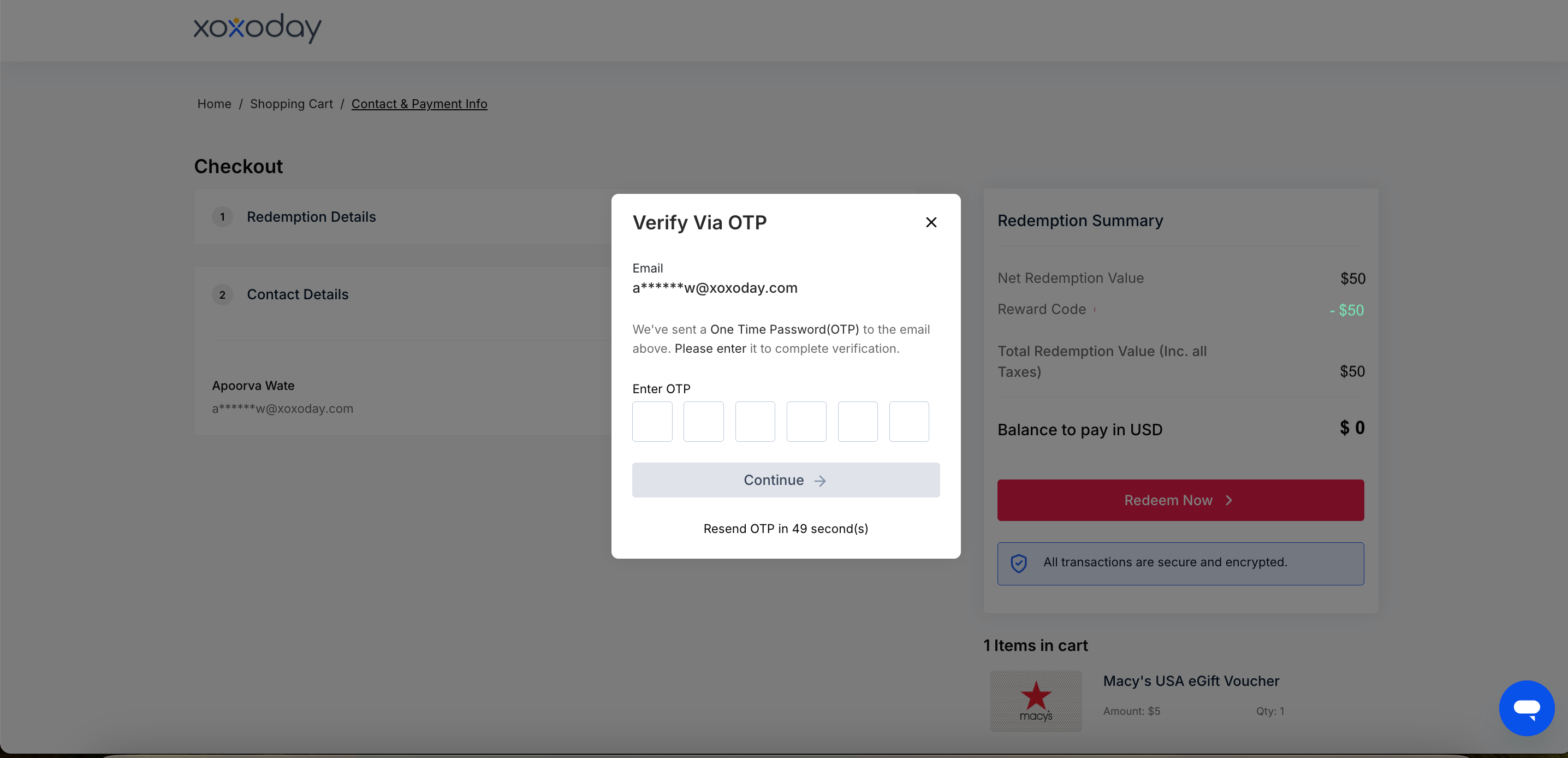
Enter the OTP sent to your email or phone number.
10
Your order is placed. You receive an email with your order details at the email address you entered at checkout.
Need help? Raise a support ticket.