
Add an Admin
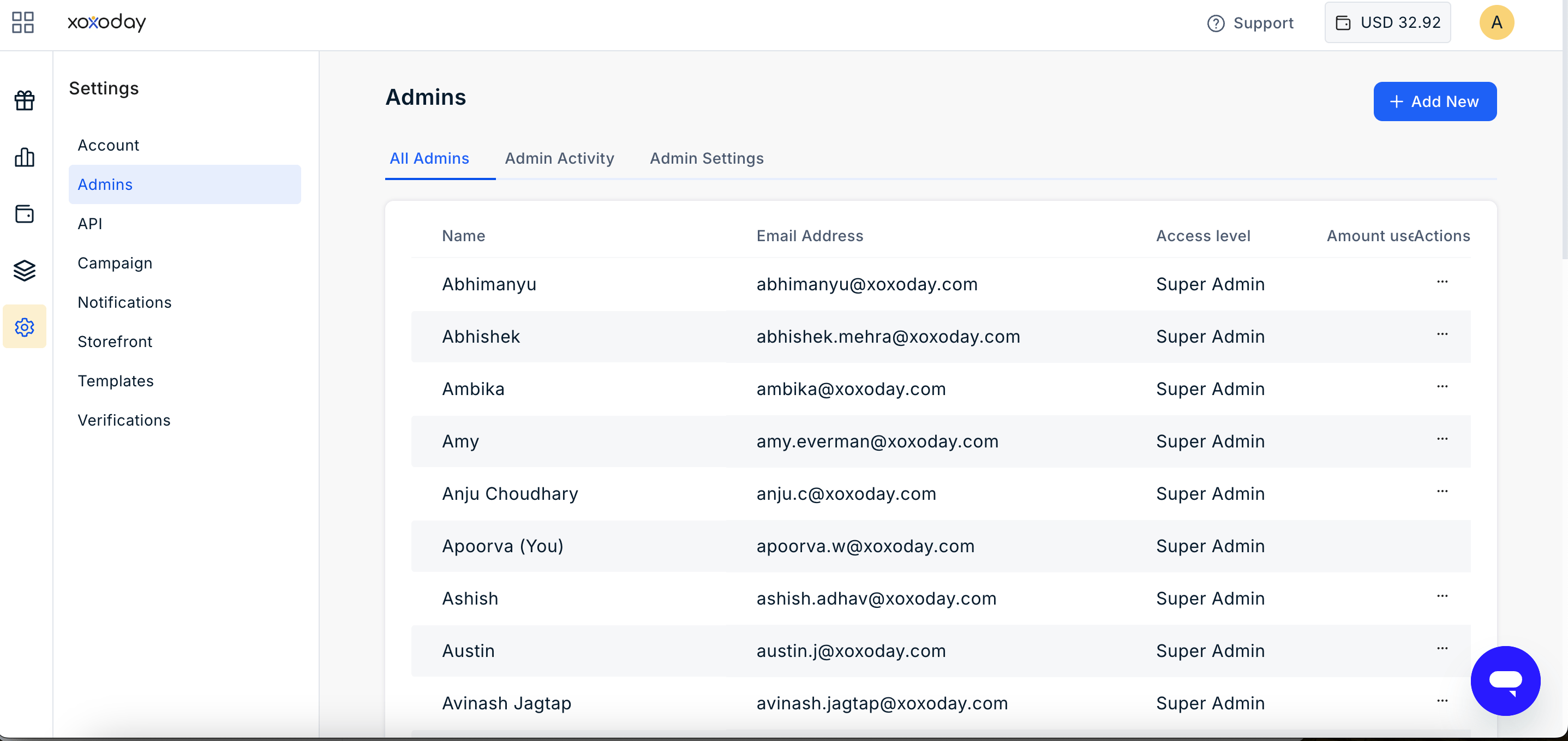
To add a new Admin:- On the All Admins page, click Add New.
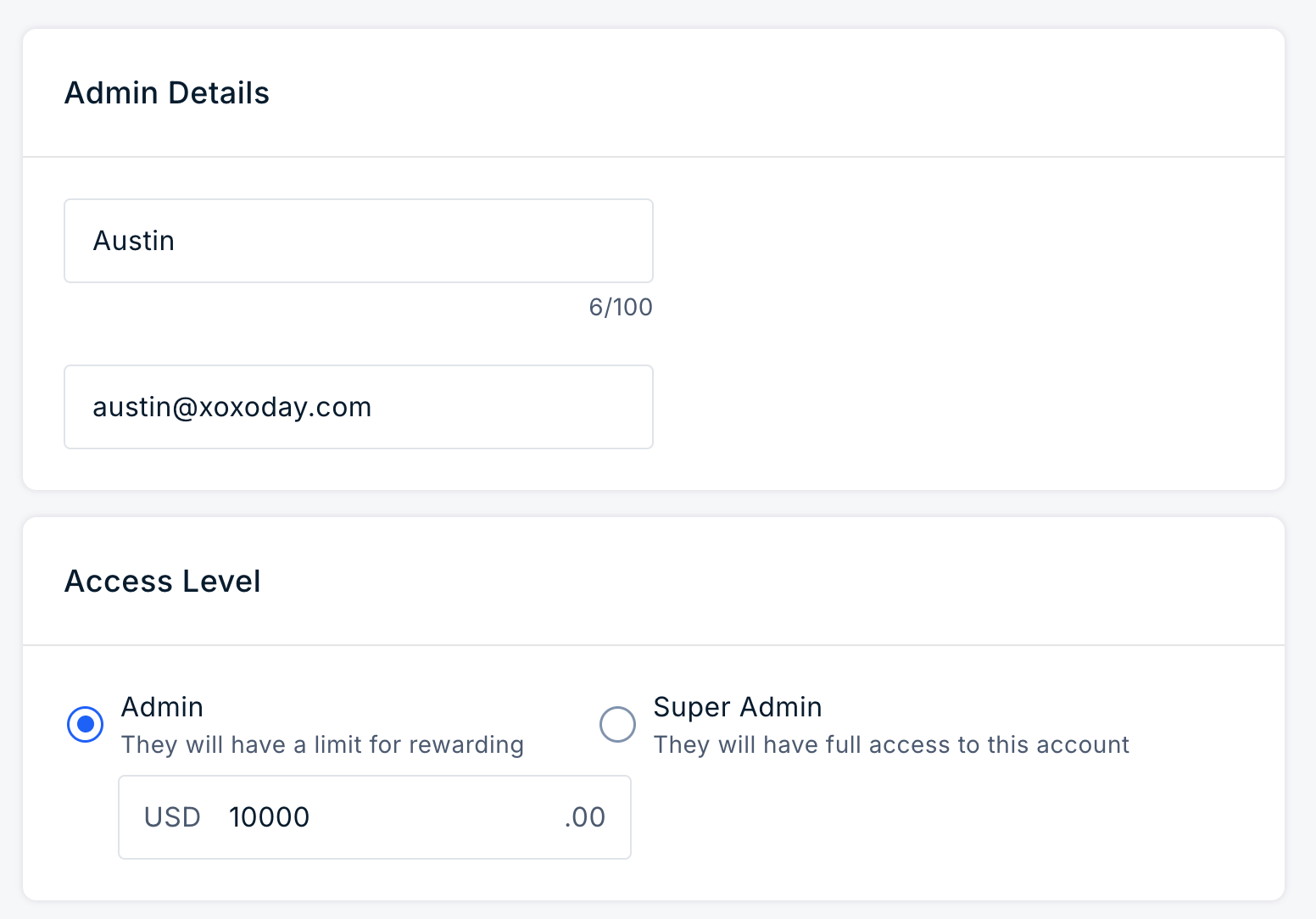
- In the Add Admin form, enter the user’s Name and Email Address.
- Select the appropriate role:
- Admin: Provides access to the Plum Admin Dashboard with the permissions assigned to the Admin role, including the configured rewarding threshold.
- Super Admin: Provides full access to the account and Super Admin features.
- Click Save.
Edit Admin
Super Admins can change an Admin’s role at any time. To change an Admin’s role:- Locate the user in the All Admins list.
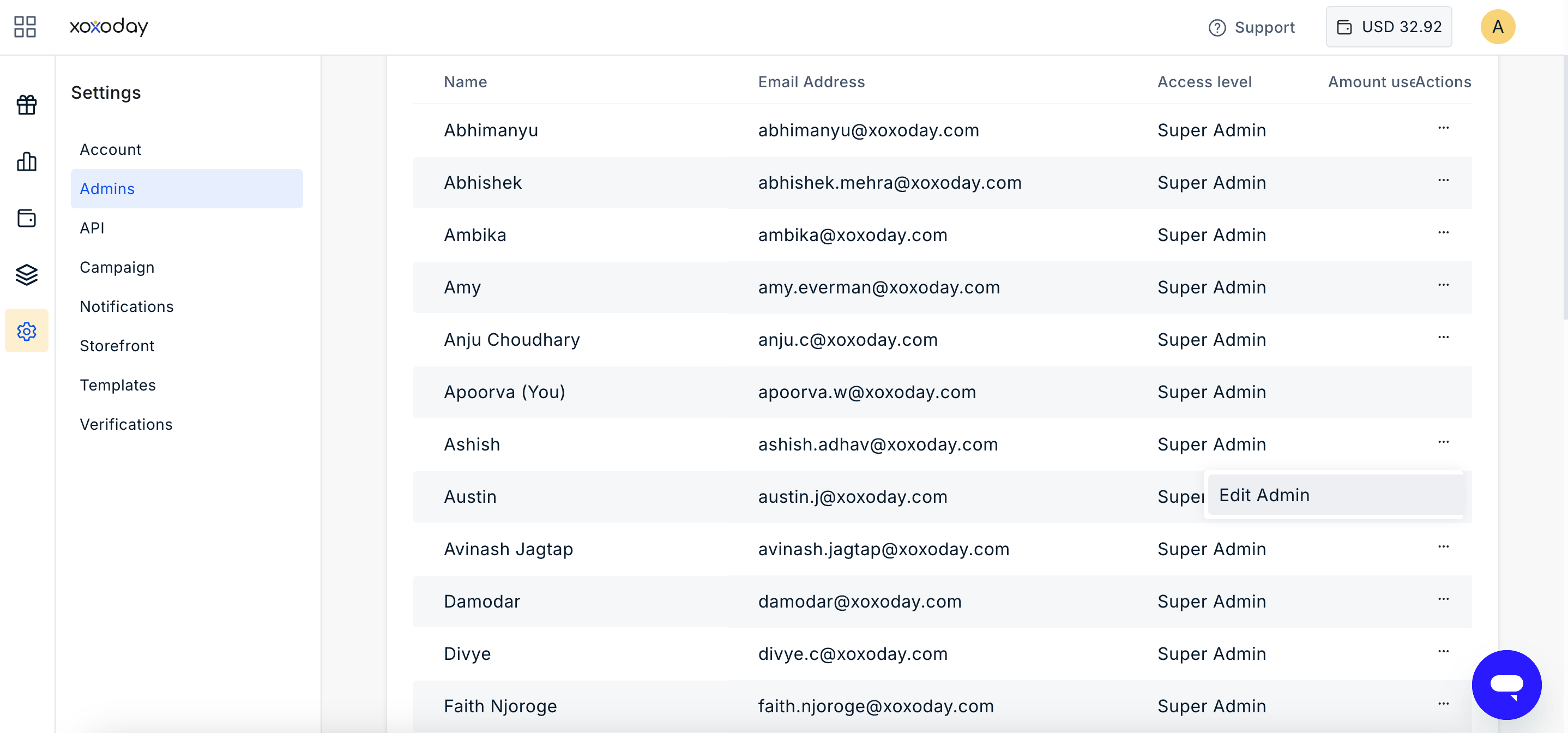
- Click the three-dot menu under the Actions column.
- Select Edit Admin.
- Change the Role to Admin or Super Admin.
- Click Save.
- Changing an Admin to a Super Admin grants access to Super Admin features.
- Changing a Super Admin to an Admin removes access to Super Admin-only features.
Change to Report View
Super Admins can change an Admin’s access to Report View, where applicable. Report View provides access to relevant reporting information without providing the administrative permissions available to an Admin or Super Admin. To change an Admin to Report View:- Locate the Admin in the All Admins list.
- Click the three-dot menu under the Actions column.
- Select Edit Admin.
- Change the access or role to Report View.
- Click Save.
Delete an Admin
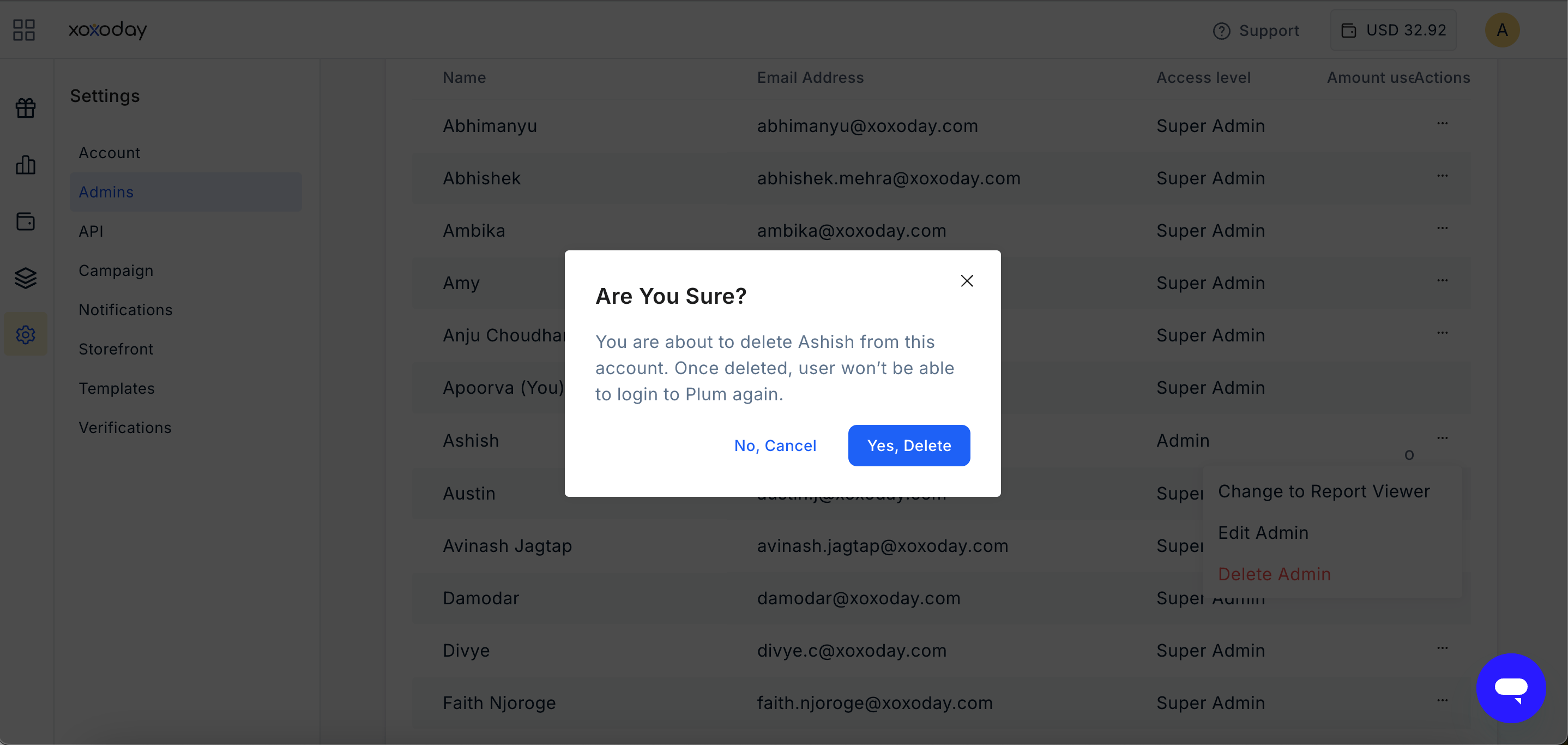
Super Admins can delete an Admin to revoke their access to the Plum Admin Dashboard. To delete an Admin:- Locate the Admin in the All Admins list.
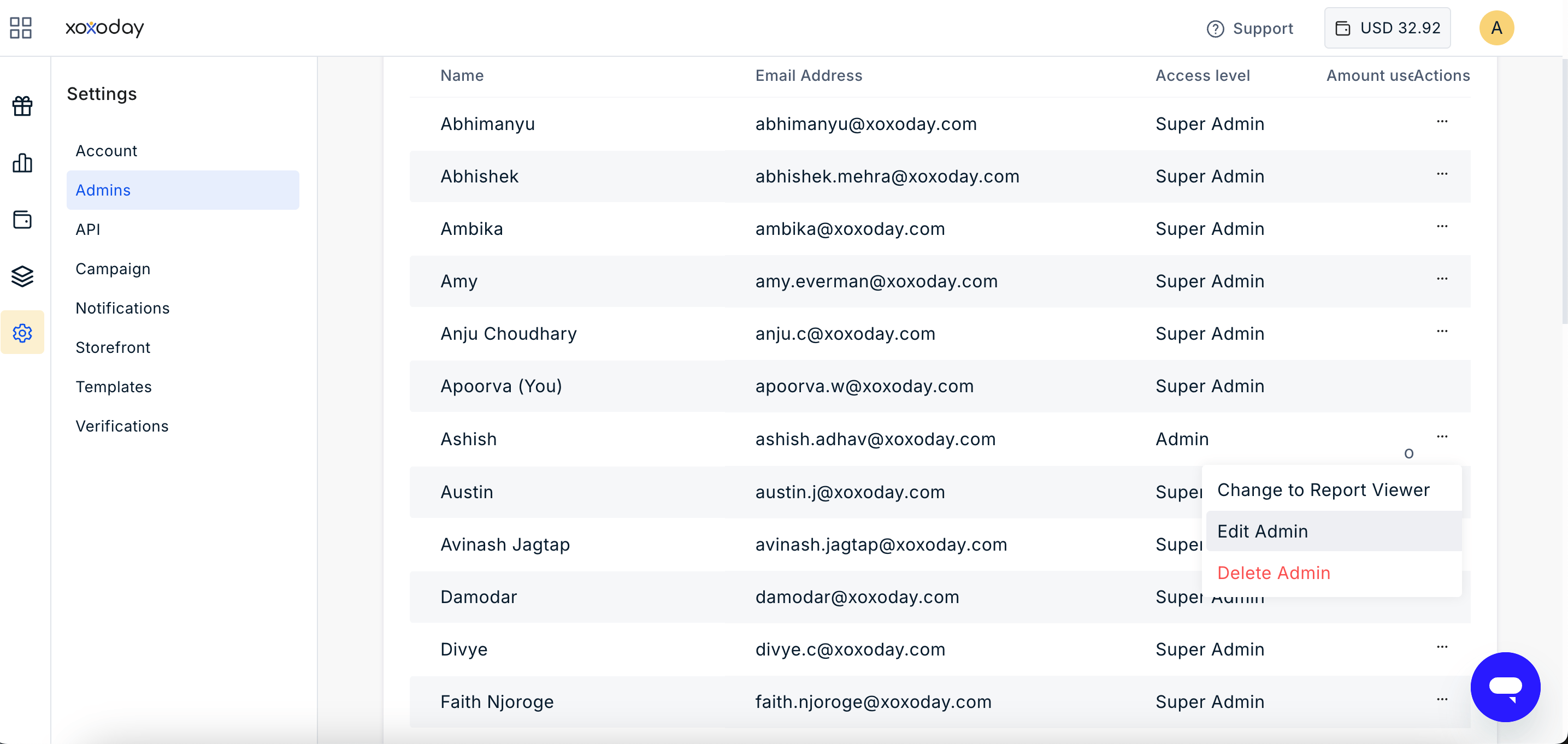
- Click the three-dot menu under the Actions column.
- Select Delete Admin.
- Confirm the action.
Still need help? Raise a support ticket.