
Edit Rewarding Threshold
Super Admins can configure or modify the rewarding threshold for an Admin. The rewarding threshold defines the maximum amount that the Admin is permitted to reward, based on the limits configured for the account. To edit the rewarding threshold:- Locate the Admin in the All Admins list.
- Click the three-dot menu under the Actions column.
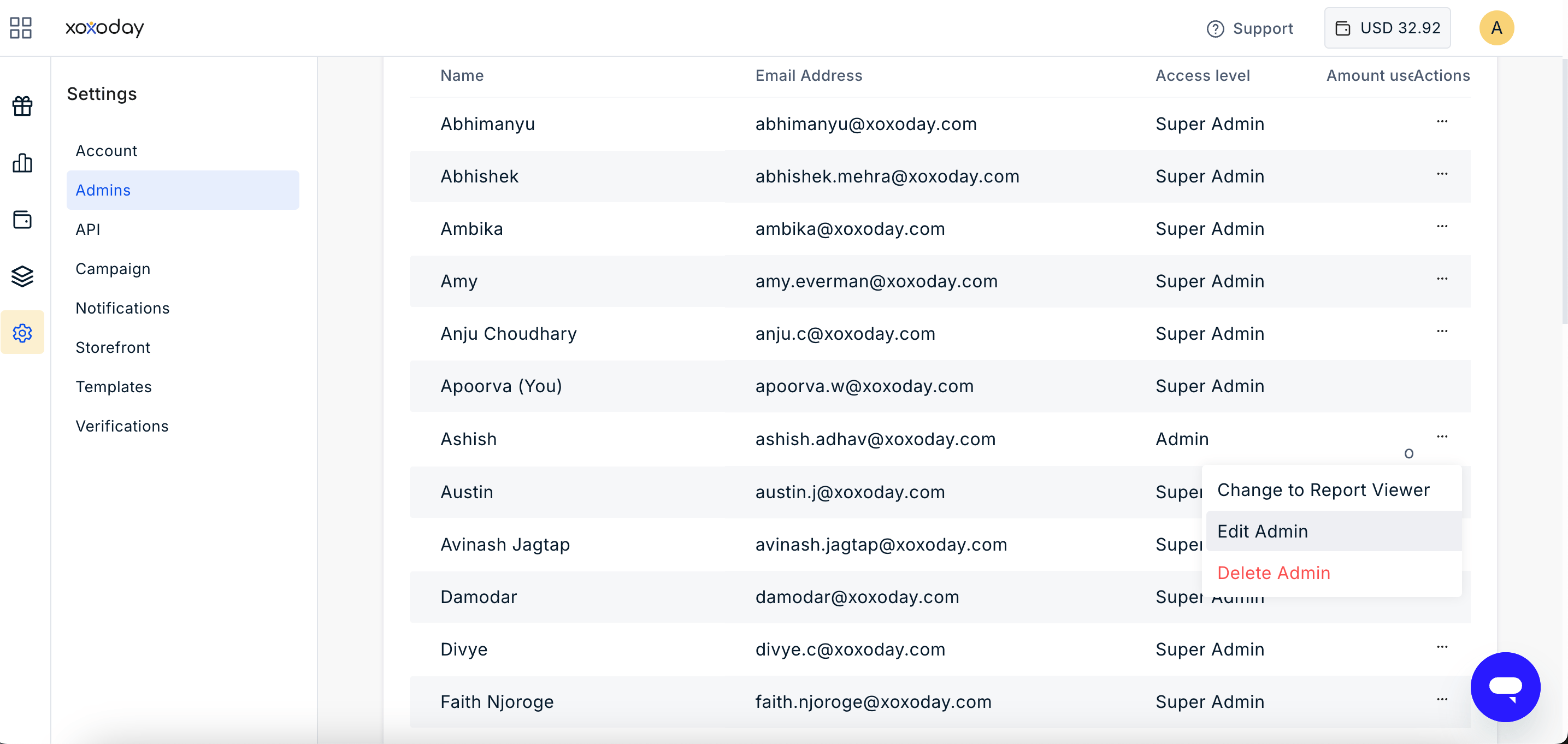
- Select Edit Admin.
- Update the Rewarding Threshold as required.
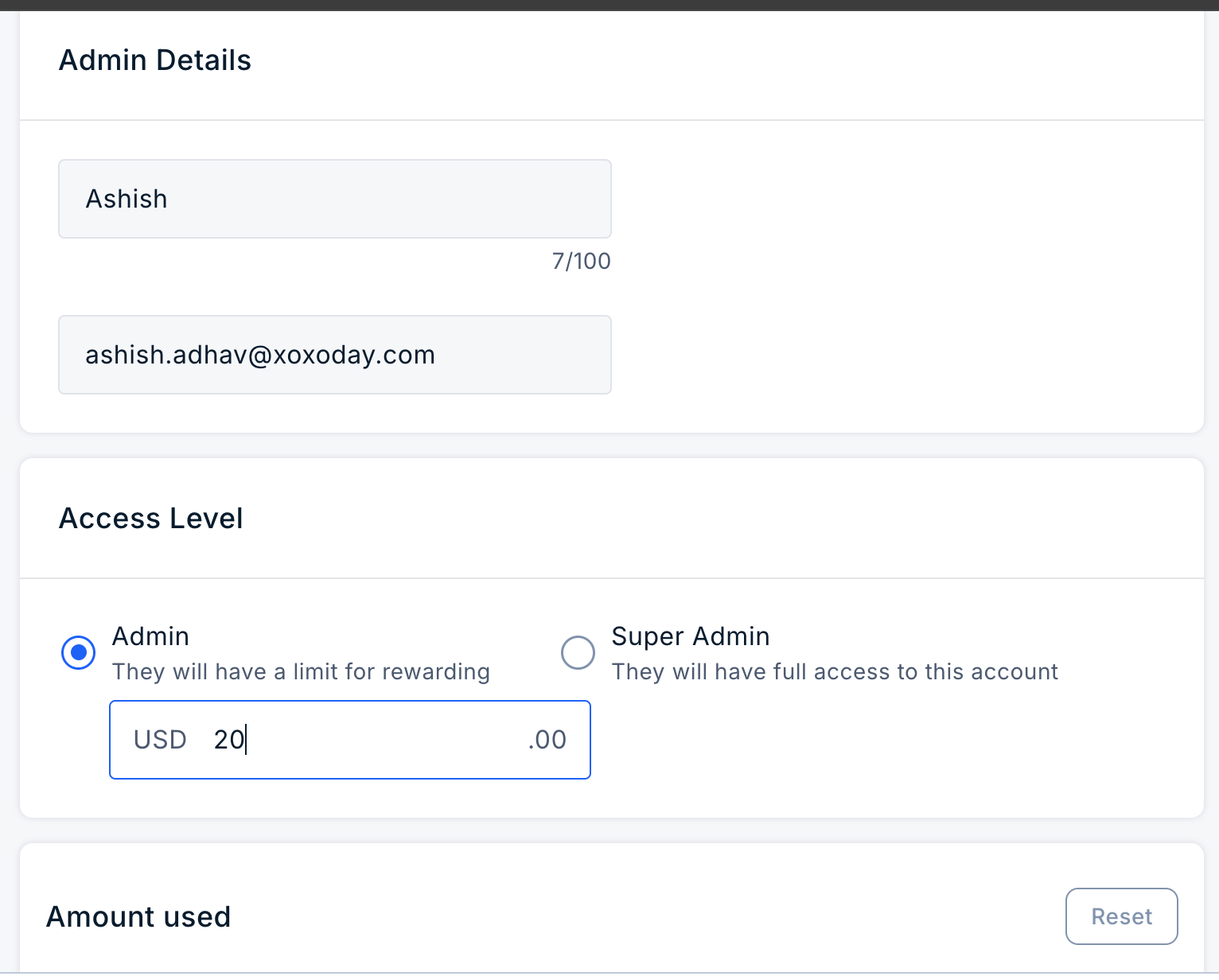
- Click Save.
Reset Amount Spent
Super Admins can reset the Amount Spent for an Admin from the All Admins page. This resets the amount accumulated against the Admin’s rewarding threshold without changing the threshold itself. To reset the amount spent:- Navigate to Settings > Admin > All Admins.
- Locate the required Admin.
- Click the three-dot menu under the Actions column.
- Select Edit.
- Click on Reset and Update
- The Amount Spent is reset to 0.
- The Rewarding Threshold remains unchanged.
- The Admin’s available balance is restored based on the existing threshold.
- Previous reward transactions remain unchanged.
Note: Resetting the amount spent only resets the spending counter. It does not change the Admin’s rewarding threshold or delete historical reward transactions.
Still need help? Raise a support ticket.