
How to Access
- From the main menu, click on “History” in the left-side navigation panel.
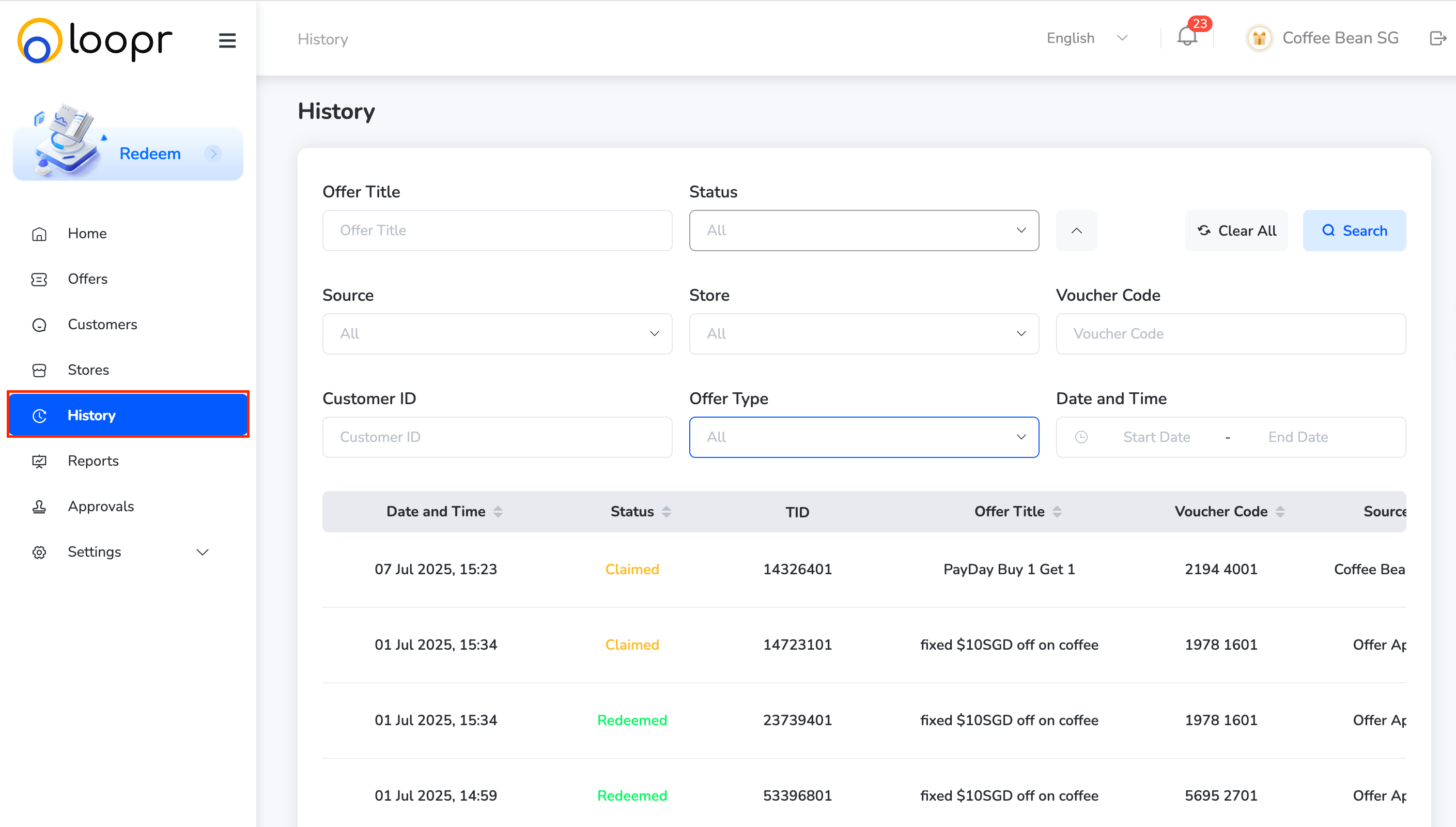
What You Can Do:
Once inside the History module, you can: Search & Filter Offer Activity Use filters to refine your search results based on:- Offer Title
-
Status
- Claimed
- Redeemed

-
Source
- Web Portal
- Merchant
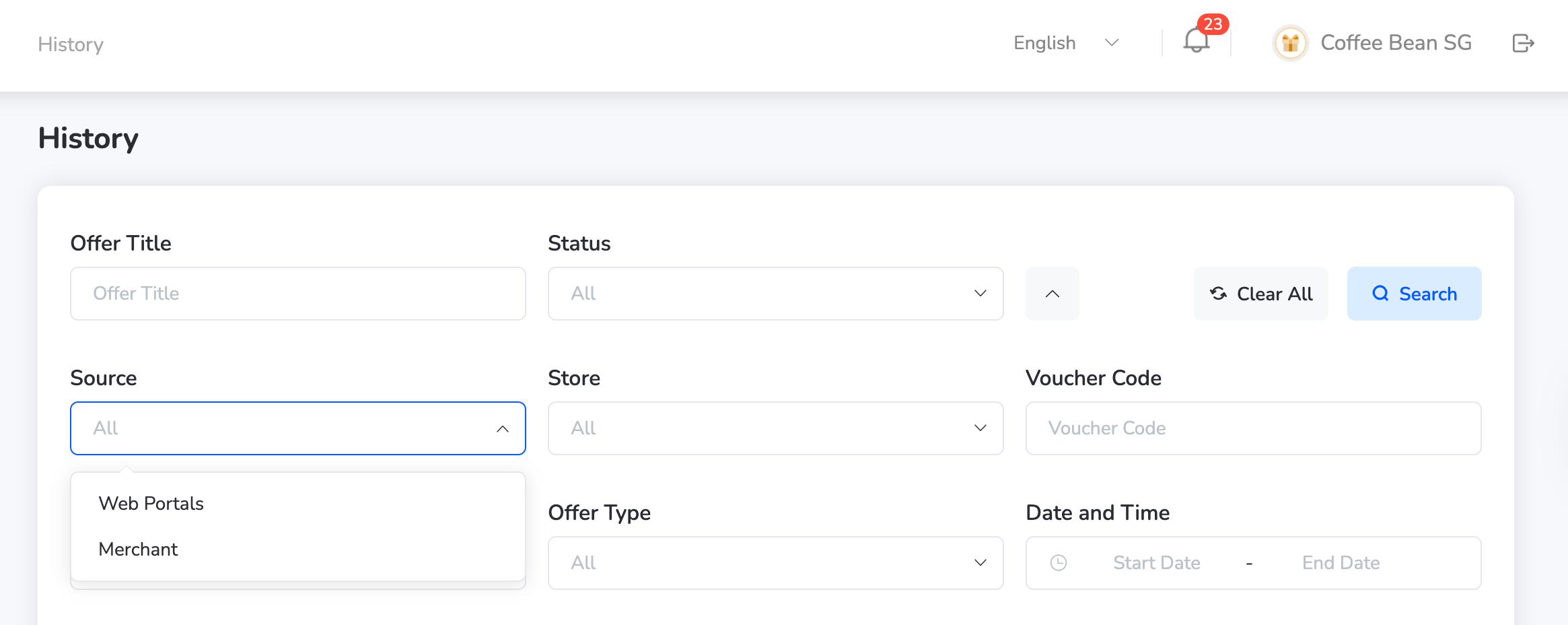
- Stores — Select specific store(s) from the dropdown list
- Voucher Code — Add the particular voucher code
-
Offer Type
- Discount
- Fixed Value
- Free Format
- Product

- Date and Time — Select the date and time using the calendar.
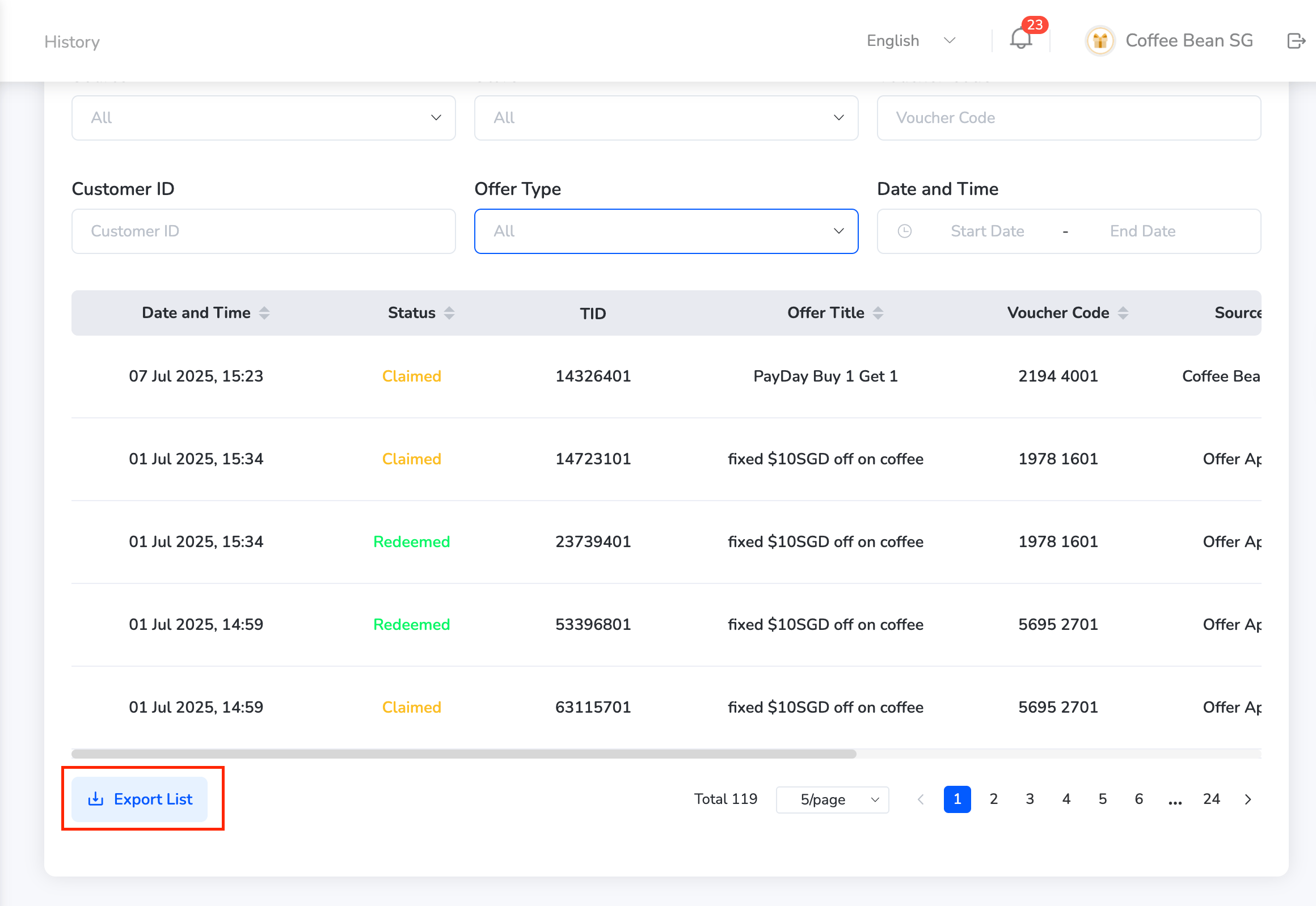
- Browse the list of activity logs showing the time, user, store, and offer details.
- Each record provides visibility into how and where an offer was claimed or redeemed.
This helps merchants track campaign performance and customer engagement across channels.
Still need help? Raise a support ticket.