
How to Access
- Navigate to “Settings” from the left-hand menu.
- Click on “Subscription” from the dropdown.
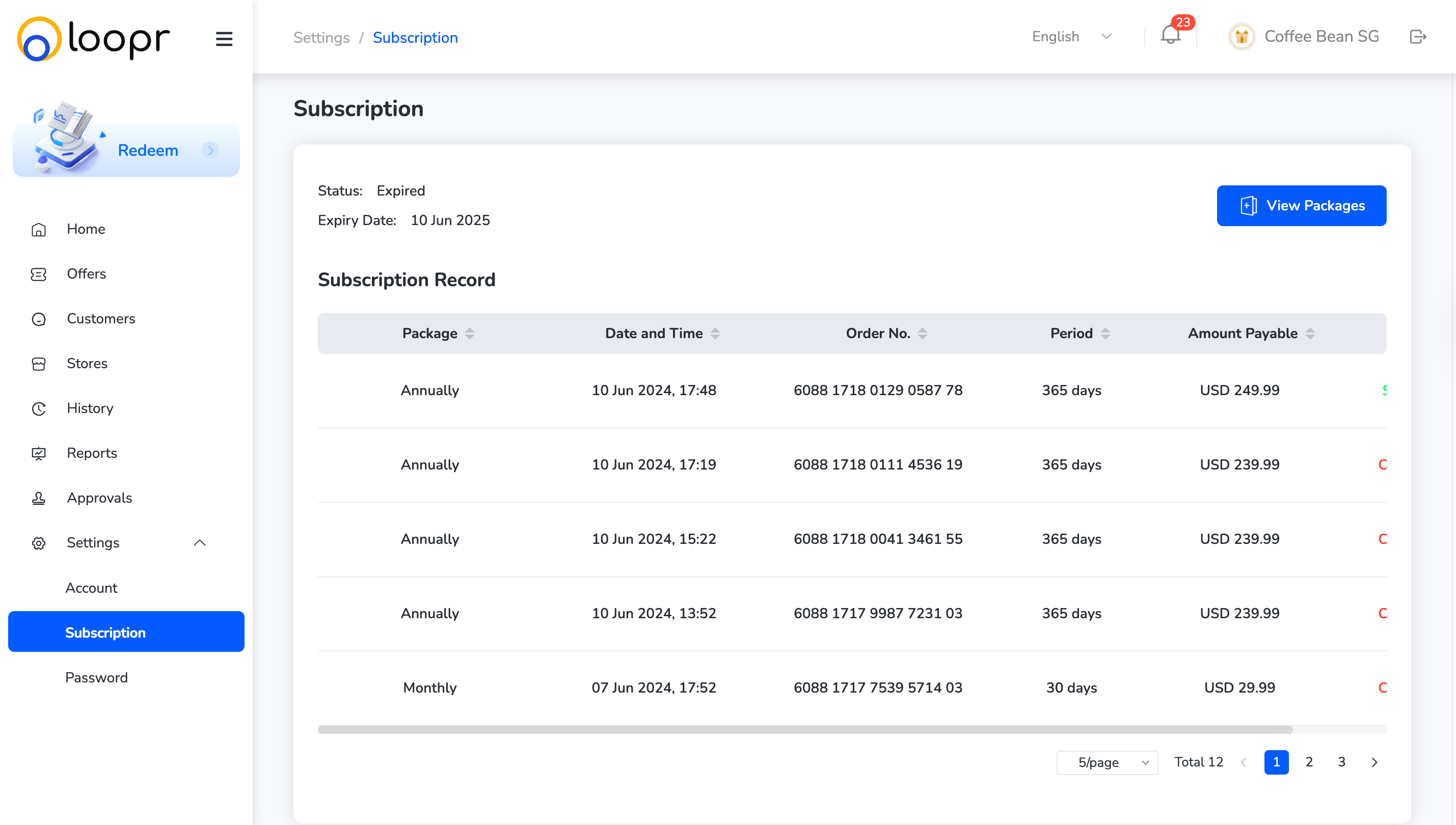
View All Subscription Records
See a list of all your active and historical subscriptions, along with their current status (active, expired, etc.)Select a Package
- At the top of the page, click on the “Packages” dropdown.
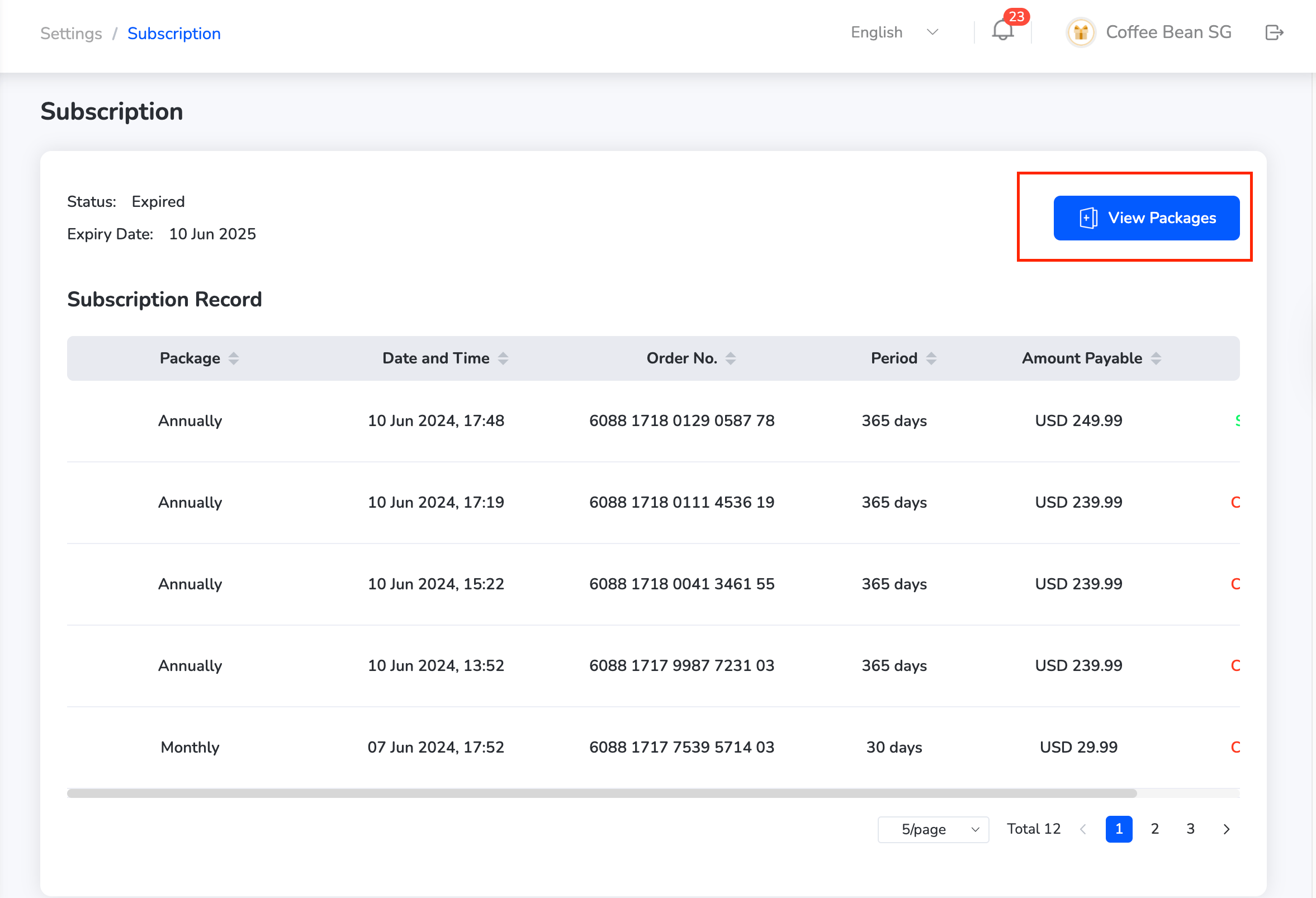
- Choose from the available subscription packages as per your business needs.
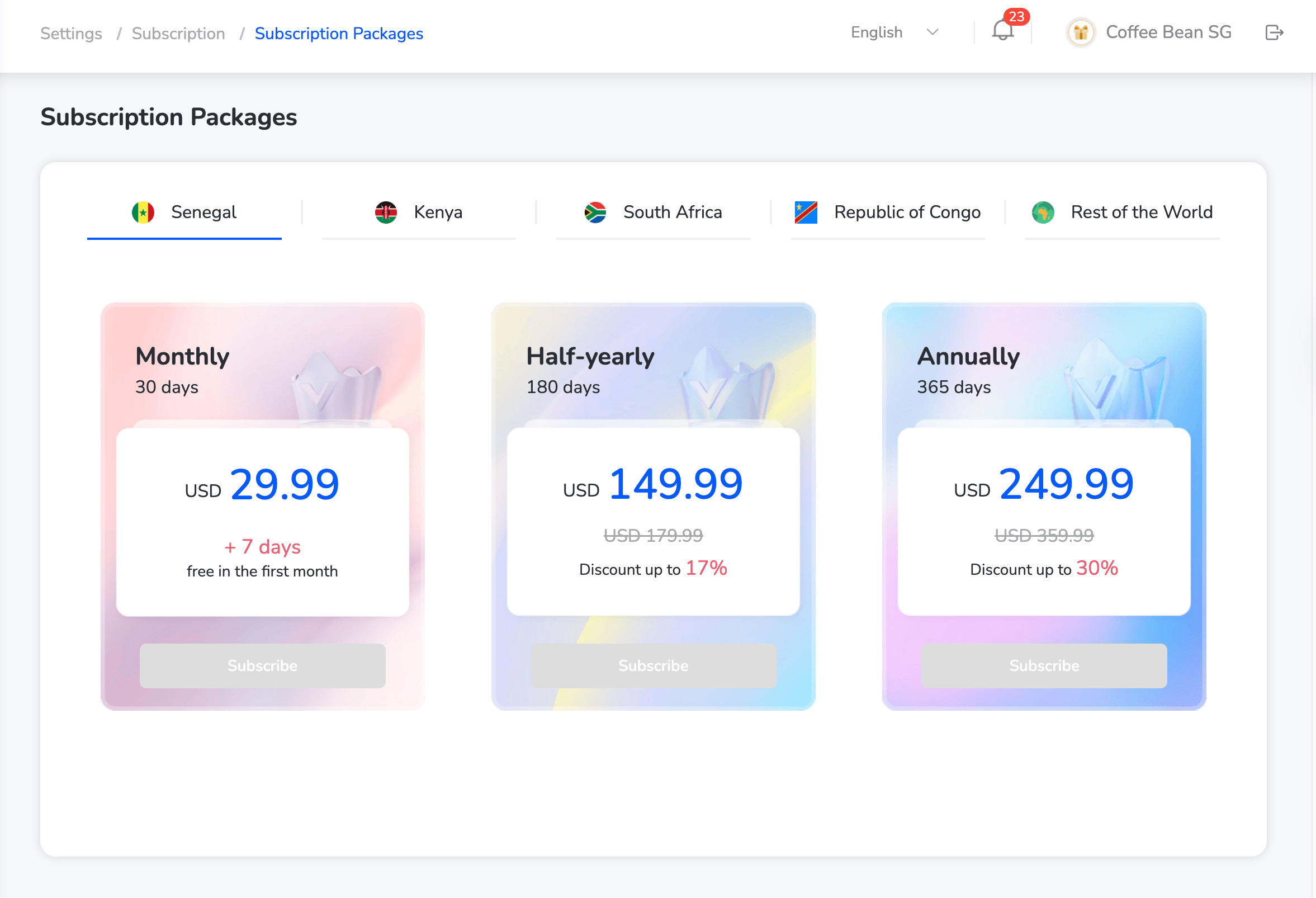
This helps manage budgets and optimize platform usage effectively.
Still need help? Raise a support ticket.