
You can only change/update Name and Password. Please reach out through Contact Support.
Update Profile Information
To update your profile information:- Sign in to the Plum Admin Dashboard.
- Click the Profile icon in the top-right corner.
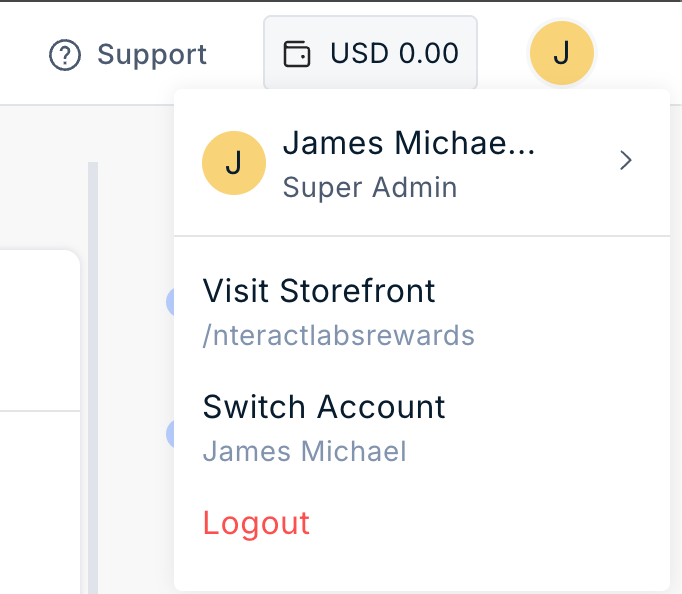
- Select the option to edit your profile.
- Update the required information, such as your Name or Password.
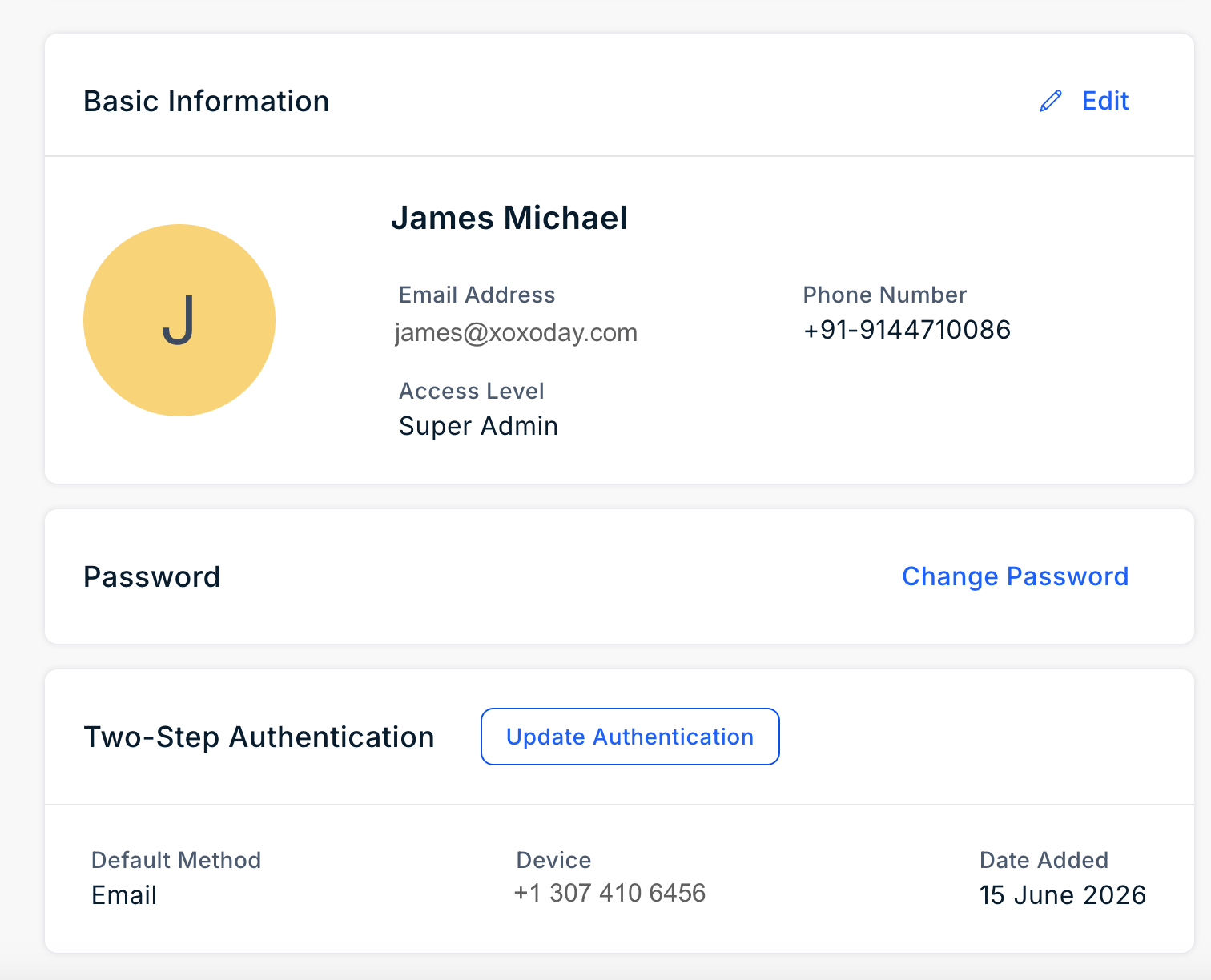
- Save the changes.
Still need help? Raise a support ticket.