
Prerequisites
Before starting, ensure you have the following information ready:- Full Name
- Company Name
- Business Email Address
- Password
- Business Email Address
- Password
Creating Your Account
1
Access the Sign-Up Page
Open your browser and navigate to https://stores.xoxoday.com/admin/signup.
2
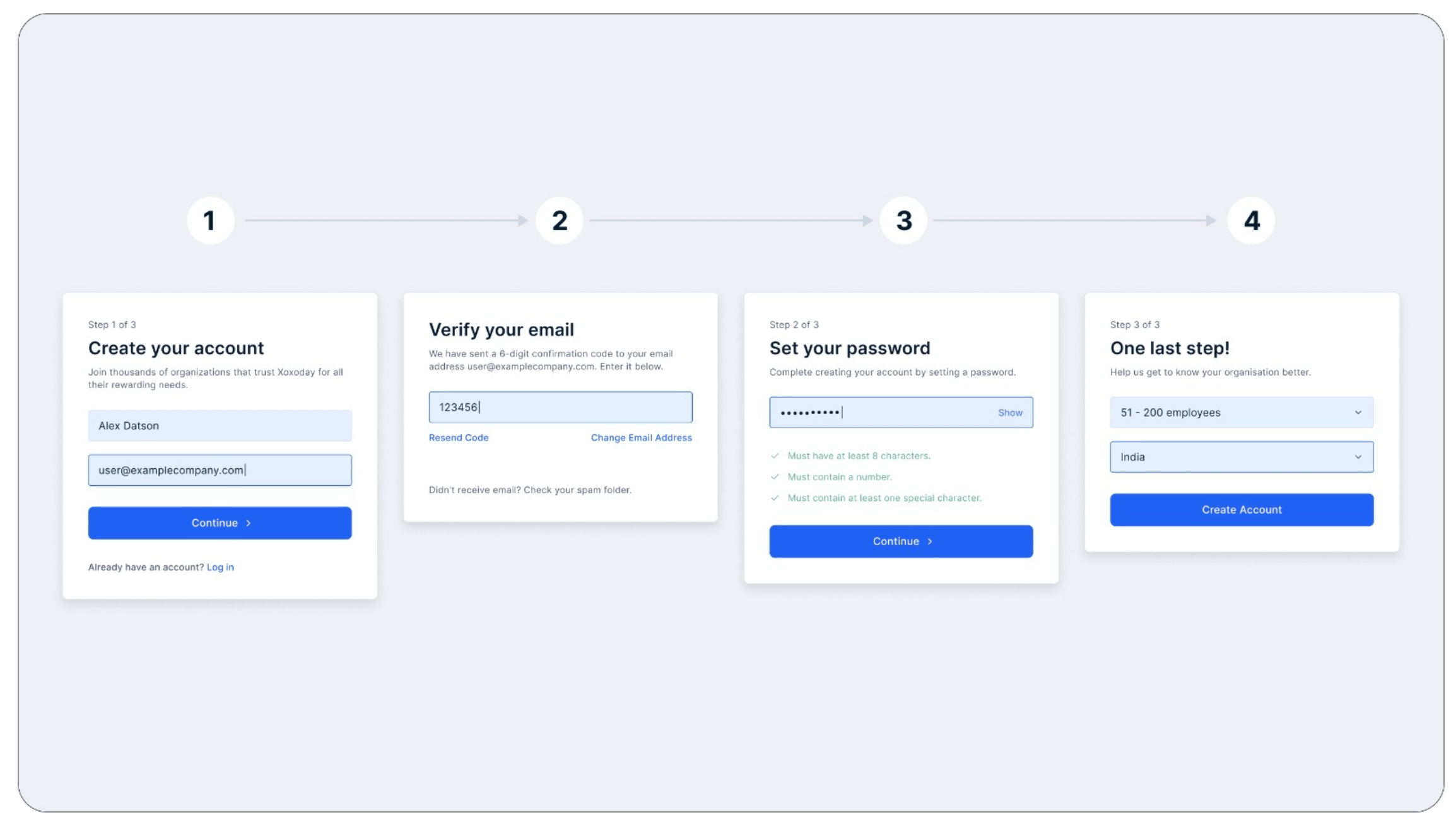
Create Your Account
Enter your Full Name and Business Email Address, then submit the information to proceed.
3
Verify Your Email
Check your inbox for an OTP sent to your registered email. Enter the OTP on the sign-up page to validate your email address.
4
Set Your Password
Create a strong password (at least 8 characters, including one numeric digit) and confirm it to complete this step.
5
Provide Employee Count
Specify the number of employees in your organization.
Still need help? Raise a support ticket.